

In today’s fast-paced digital landscape, creating a distraction-free digital workspace is crucial for maximizing productivity and achieving success as an entrepreneur, creator, or remote worker. A well-designed digital workspace can be the difference between meeting deadlines and missing them, and with the right strategies and tools, you can stay focused and motivated. As we explore the world of digital workflows and SaaS tools on Avontry, it’s essential to consider the importance of minimizing distractions and optimizing your workspace for efficiency.
Understanding the Impact of Distractions
Digital distractions come in many forms, from social media notifications to email alerts and chatty colleagues. These interruptions can derail your train of thought, decrease your productivity, and increase your stress levels. According to a study, the average person checks their phone over 50 times per day, resulting in a significant loss of productivity. By acknowledging the sources of distractions and taking steps to mitigate them, you can create a more focused and efficient digital workspace.
Designing Your Digital Workspace
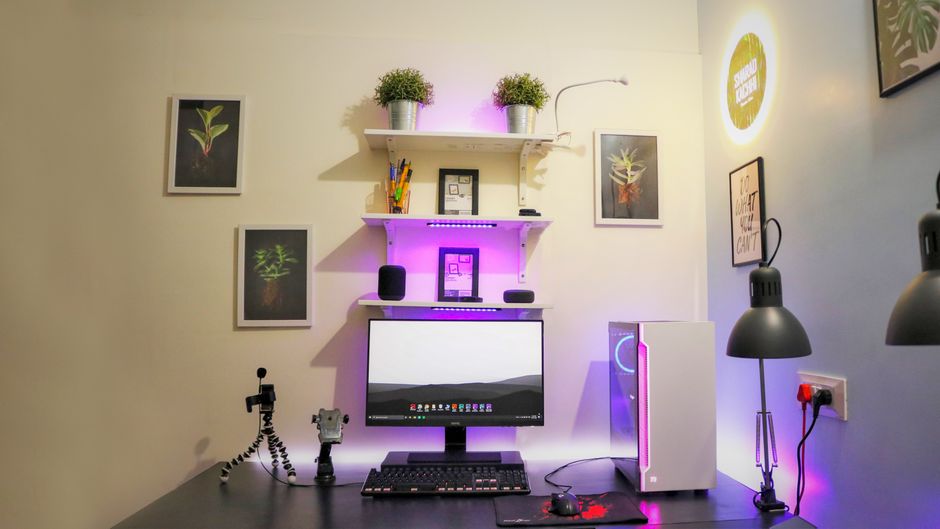
Designing a distraction-free digital workspace requires a combination of strategic planning, intentional tool selection, and disciplined habits. It starts with setting clear goals and priorities, and then selecting the right tools and software to support your workflow. Consider using project management tools like Trello or Asana to stay organized, and communication platforms like Slack or Zoom to collaborate with team members. By streamlining your workflow and minimizing digital clutter, you can reduce distractions and stay focused on your objectives.
Choosing the Right Tools
With the plethora of SaaS tools available, it’s essential to choose the ones that align with your workflow and goals. Consider tools that offer features like website blocking, time tracking, and automated workflows to help you stay on track. For example, tools like Freedom or SelfControl can block distracting websites or apps during certain periods of the day, while tools like RescueTime or Harvest can track your time and provide insights on your productivity.
Practical Tips for a Distraction-Free Workspace
Here are some practical tips to help you create a distraction-free digital workspace:
- Set clear goals and priorities: Start each day by setting specific, measurable, and achievable goals. This will help you stay focused on what’s important and avoid non-essential tasks.
- Use website blocking tools: Tools like Freedom or SelfControl can block distracting websites or apps during certain periods of the day, helping you stay on track.
- Implement time tracking: Tools like RescueTime or Harvest can track your time and provide insights on your productivity, helping you identify areas for improvement.
- Establish a routine: Develop a daily routine that includes regular breaks, exercise, and time for self-care. This will help you stay energized and motivated throughout the day.
- Minimize digital clutter: Regularly clean up your digital workspace by deleting unnecessary files, organizing your computer desktop, and streamlining your workflow.
Creating a Sustainable Workflow

Creating a distraction-free digital workspace is not a one-time achievement, but rather an ongoing process. It requires discipline, intentionality, and a willingness to adapt to changing circumstances. By regularly evaluating your workflow, tools, and habits, you can identify areas for improvement and make adjustments to optimize your productivity. Remember, a distraction-free digital workspace is not just about avoiding distractions, but also about creating an environment that fosters creativity, innovation, and growth.
Staying Focused and Motivated
To maintain a distraction-free digital workspace, it’s essential to stay focused and motivated. Consider using productivity techniques like the Pomodoro Technique, which involves working in focused 25-minute increments, followed by a five-minute break. You can also use music or ambient sounds to create a conducive work environment, or take regular breaks to stretch, move your body, and refresh your mind.
Conclusion and Next Steps
In conclusion, designing a distraction-free digital workspace is a critical component of achieving success in today’s fast-paced digital landscape. By understanding the impact of distractions, designing your digital workspace, choosing the right tools, and implementing practical tips, you can create an environment that fosters productivity, creativity, and growth. At Avontry, we’re committed to helping entrepreneurs, creators, and remote workers optimize their digital workflows and achieve their goals. Explore our resources and guides to learn more about creating a distraction-free digital workspace and take the first step towards boosting your productivity and success.
Ready to get started? Explore Avontry’s latest articles and guides on digital workflows, SaaS tools, and productivity techniques to take your digital workspace to the next level.